


Struggling to connect your robot vacuum to a 5GHz Wi-Fi network? Or wondering whether dual-band Wi-Fi really makes a difference for app control and live mapping?
As more homes upgrade to dual-band and 5GHz-only routers, Wi-Fi compatibility has become critical for smooth scheduling, stable cleaning, and full-featured smart control.
In this guide, you'll discover:
-
Which robot vacuums actually support 5GHz or dual-band Wi-Fi
-
How 5GHz affects real-time features like mapping and controls
-
Step-by-step setup tips, troubleshooting fixes, and buying advice
Whether you're frustrated by connection issues or just planning your next smart upgrade, this guide will help you pick a vacuum that works—and keeps working—with your home network.
What Are 2.4 GHz and 5 GHz Wi-Fi?
When your devices connect to home Wi-Fi, they use a frequency band, similar to choosing a lane on a highway for wireless traffic. Most modern routers offer two main lanes:
2.4 GHz Wi-Fi is the “long-distance lane” that travels farther and passes through walls more easily, but it runs at slower speeds and can become crowded.
5 GHz Wi-Fi is the “fast lane” that delivers higher speeds and experiences less interference, but it cannot travel as far or penetrate walls as effectively.
Your robot vacuum can only use the lane it is designed for. If it supports both, you have the flexibility to choose the best one for your home.
Why Wi-Fi Band Compatibility Matters for Robot Vacuums
Robot vacuums need to match your home’s Wi-Fi bands—if they don’t, core features like app control, scheduling, and firmware updates may stop working.
-
2.4 GHz only? It won’t connect to 5 GHz-only routers, limiting smart features.
-
Dual-band (2.4 + 5 GHz)? Compatible with modern networks and avoids setup issues.
In real-world use:
-
2.4 GHz offers better range but is prone to interference—especially in apartments.
-
5 GHz is faster and cleaner, but struggles with signal through walls in large homes.
A dual-band robot vacuum offers the best balance of range, speed, and future-proof connectivity.
2.4 GHz vs 5 GHz for Robot Vacuums – Quick Comparison
|
Feature |
2.4 GHz Wi-Fi |
5 GHz Wi-Fi |
|
Speed |
Moderate (typically 50–150 Mbps) |
High (300 Mbps or more) |
|
Coverage Range |
Wide coverage, strong wall penetration |
Shorter range, reduced penetration through walls |
|
Interference Resistance |
More prone to interference (Bluetooth, microwaves, other devices) |
Less interference, cleaner channels |
|
Best for Home Layout |
Large homes, multi-room, multi-floor with many walls |
Small homes, open floor plans |
|
Best for Robot Vacuum Needs |
Wide roaming range, stable long-distance connection |
Real-time map updates, high-speed data transfer |
|
Typical Issues |
Network congestion, lower speeds |
Signal dropouts in distant rooms |
|
Compatibility |
Supported by most robot vacuum models |
Supported by limited high-end models (including Narwal Flow) |
If you want a fast, low-interference connection and your vacuum supports it, 5 GHz can be an excellent choice, especially for features like live mapping and real-time controls. For maximum coverage and stability, 2.4 GHz is still the safer choice. The smartest option is a dual-band robot vacuum, which allows you to switch between speed and range whenever needed.
Can My Robot Vacuum Use 5GHz?
Not all robot vacuums can connect to 5GHz Wi-Fi—most are designed for 2.4GHz only. To find out if your device supports 5GHz or dual-band, follow these quick checks:
-
Check the product specifications for “dual-band Wi-Fi” or “2.4 GHz + 5 GHz” support.
-
Review the packaging or user manual for any mention of 5GHz compatibility.
-
During app setup, see if your 5GHz network appears as an available option.
-
Still unsure? Search for your model name along with “5GHz Wi-Fi compatibility” online.
If your vacuum doesn’t support 5GHz, it won’t detect the network at all during pairing—and you won’t be able to force a connection.
Tip: Choosing a dual-band robot vacuum ensures smoother setup and fewer Wi-Fi compatibility issues with modern routers.
Why Most Robot Vacuums Cannot Connect to 5 GHz Wi-Fi
They can’t connect because most use 2.4 GHz Wi-Fi hardware, not 5 GHz. Manufacturers choose 2.4 GHz because it offers wider coverage, works reliably through walls and furniture, and is compatible with almost all home routers.
While 5 GHz Wi-Fi delivers faster speeds and less interference, its shorter range and weaker signal through obstacles make it harder for a moving device like a robot vacuum to maintain a stable connection, especially when cleaning rooms far from the router.
In smart homes, consistent connectivity is more important than raw speed. A vacuum that relies only on 5 GHz could frequently lose its connection, disrupting app control, map updates, and scheduled cleanings.
For now, 2.4 GHz remains the standard for most robot vacuums, including many vacuum-and-mop combos. Only a small number of high-end models offer dual-band support for both 2.4 GHz and 5 GHz, but this is likely to become more common as home networks evolve.
Why Manufacturers Choose 2.4 GHz over 5 GHz
- Longer range so the vacuum stays connected even in distant rooms.
- Better wall penetration for stable performance through furniture and obstacles.
- Greater compatibility with older and newer routers.
- Lower hardware cost compared to dual-band modules.
- Fewer dropouts when moving between rooms or floors.
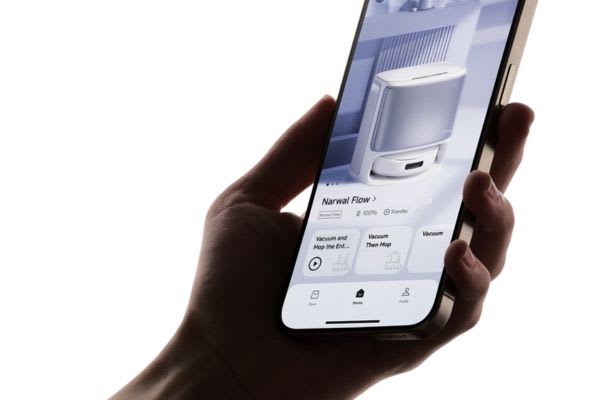
Benefits of Dual-Band (2.4 GHz + 5 GHz) Support
Choosing a dual-band robot vacuum gives you greater flexibility and a smoother setup across different home Wi-Fi environments.
-
Easy setup – Connects effortlessly to modern routers without changing network settings or splitting frequency bands.
-
More stable connection – Automatically switches between 2.4 GHz and 5 GHz to reduce dropouts and maintain signal in high-interference areas.
-
Future-ready – Stays compatible as home networks evolve, especially as 5 GHz becomes more common.
-
Adaptable performance – Use 2.4 GHz for better range in larger homes, or 5 GHz for higher speed and lower latency in open layouts.
Which Robot Vacuums Support 5GHz Wi-Fi?
While most robot vacuums only support 2.4 GHz Wi-Fi, a select group of high-end models now offer dual-band connectivity. This means they can connect to both 2.4 GHz and 5 GHz networks, providing faster speeds, lower latency, and better compatibility with modern routers.
Looking for robot vacuums that work with 5GHz Wi-Fi? Here's a comparison of top models that support it.
Narwal Flow is one of the most advanced options in this category, combining next-generation cleaning technology with true dual-band support. It features the revolutionary FlowWash Mopping System for real-time self-cleaning with warm water, CarpetFocus Technology for deep fiber cleaning, and DualFlow Tangle-Free brushes to prevent hair wrap. With 22,000 Pa suction power, AI obstacle avoidance, auto mop lifting, and an adaptive base station that handles hot-water mop washing, dust storage, and self-cleaning, it delivers a complete hands-free floor care experience.
Can a Robot Vacuum Use 5GHz for Better Performance?
Yes—if it supports 5GHz Wi-Fi. Below are models that combine advanced cleaning with dual-band connectivity.
|
Brand / Model |
Wi-Fi Band Support |
Key Features |
Best For |
Budget Level |
Purchase Channels |
|
Narwal Flow |
2.4 GHz + 5 GHz (Dual-Band) |
Vacuum & mop combo, FlowWash real-time self-cleaning, 22,000 Pa suction, CarpetFocus deep carpet cleaning, DualFlow tangle-free system, AI obstacle avoidance, auto mop lift, adaptive base with hot-water mop washing and 120-day dust storage |
Smart homes, multiple floors |
High |
Narwal Official Website, Amazon, Costco, Best Buy |
|
Roborock S8 Pro Ultra |
2.4 GHz + 5 GHz (Dual-Band) |
Auto empty & mop wash, sonic mopping, LiDAR navigation |
Families with pets, mixed flooring |
High |
Amazon, Best Buy |
|
Ecovacs Deebot X2 Omni |
2.4 GHz + 5 GHz (Dual-Band) |
All-in-one station, AI obstacle avoidance, vacuum & mop combo |
Busy households, large areas |
High |
Amazon, Walmart |
|
iRobot Roomba j7+ Combo |
2.4 GHz + 5 GHz (Dual-Band) |
Auto empty, obstacle detection, mop attachment |
Apartments, budget-conscious buyers |
High |
Amazon, Target |
How to Confirm 5 GHz Compatibility Before Buying
- Check the official specifications for “2.4 GHz + 5 GHz” or “dual-band Wi-Fi.”
- Look for Wi-Fi frequency details on the product packaging.
- Review the user manual to confirm supported bands.
- Ask the retailer or online seller if the listing is unclear
How to Choose a Robot Vacuum with Reliable, Hassle-Free Connectivity
When selecting a robot vacuum for strong and stable connectivity, look for:
- Dual-band Wi-Fi (2.4GHz + 5GHz) support for flexibility in different network setups.
- App stability and regular firmware updates for long-term performance.
- Compatibility with popular routers and mesh systems to avoid pairing issues.
- Strong customer support with clear troubleshooting guides.
- On-device data processing for better privacy and reduced cloud reliance.
- Proven range performance in independent tests, especially in multi-room or multi-floor homes.
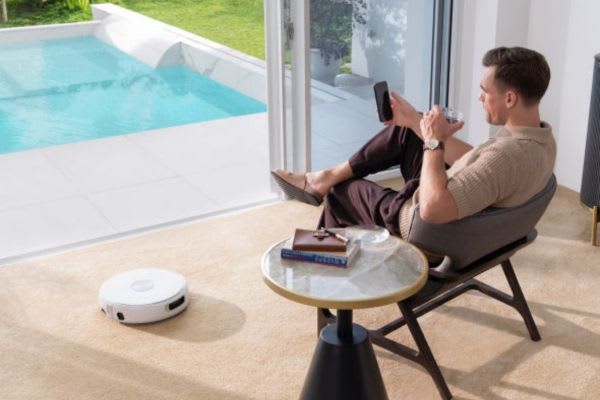
How to Connect a Robot Vacuum to a 5 GHz Wi-Fi Network
If your robot vacuum cleaner is compatible with 5 GHz Wi-Fi, connecting it to a faster, dual-band network can improve cleaning performance, reduce lag in the app, and make smart home control more responsive. To connect your robot vacuum or vacuum and mop combo to a 5 GHz network, follow these steps.
Step-by-Step Guide to Set Up a Robot Vacuum on 5 GHz Wi-Fi
- Check device compatibility: Look in the product manual or official specifications for “dual-band Wi-Fi” or “2.4 GHz + 5 GHz support.” Many older robotic vacuum cleaners only work on 2.4 GHz.
- Enable and identify your 5 GHz network: Log in to your router settings and confirm that the 5 GHz band is enabled. Note your 5 GHz SSID (network name) and password.
- Place the vacuum in range: Position the robot vacuum close to your router to avoid weak signal issues during setup.
- Connect your phone to the same 5 GHz Wi-Fi: Make sure your smartphone is on the 5 GHz SSID before starting the pairing process.
- Use the manufacturer’s app to add your device: Open the official app for your robot vacuum cleaner. Start the Wi-Fi setup, choose your 5 GHz SSID, and enter the password.
If your router uses a single SSID for both 2.4 GHz and 5 GHz, temporarily split them or create a separate 5 GHz guest network.
- Complete pairing and verify connection: Wait for the app to confirm that your robot vacuum is connected. Some models will also show a solid LED light when linked to Wi-Fi.
Why Connect Your Smart Vacuum to 5 GHz Wi-Fi?
- Faster data transfer for real-time mapping and cleaning updates
- Reduced interference compared to 2.4 GHz, especially in crowded apartment buildings
- Lower latency for smart home commands via Alexa, Google Assistant, or Siri
- Better stability for vacuum and mop combos with advanced navigation features
Long-term tip: If you upgrade your home to a 5 GHz-only router, owning a dual-band or 5 GHz-compatible robot vacuum will save you from network compatibility issues.
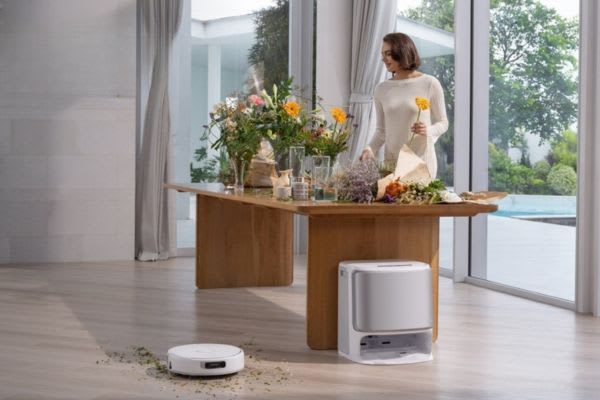
How can I troubleshoot common 5 GHz Wi-Fi connection issues?
You can fix most 5 GHz Wi-Fi connection problems with your robot vacuum by confirming 5 GHz compatibility, adjusting router settings, improving signal coverage, and ensuring the correct network is selected during setup. Restarting devices, updating firmware, and reducing interference will solve most cases where a smart vacuum or vacuum mop combo will not connect to a 5 GHz network.
Confirm Compatibility and Router Setup
- Check device specifications: Make sure your robotic vacuum cleaner supports 5 GHz Wi-Fi. Many models only work on 2.4 GHz or require dual-band capability.
- Enable and label your networks: In your router settings, ensure both 2.4 GHz and 5 GHz bands are active and have unique SSIDs (network names) to avoid confusion during setup.
Improve Wi-Fi Signal for 5 GHz
- Place router in an open location: Keep it away from thick walls, large appliances, or furniture that can block 5 GHz signals.
- Reduce interference: Avoid placing the router near cordless phones, microwaves, or Bluetooth devices.
- Use extenders or mesh Wi-Fi: Boost coverage in larger homes so your robot vacuum stays connected in all rooms.
Fix the Connection Process
- Select the correct SSID in the app: When adding the vacuum in its mobile app, choose the 5 GHz network. If your router combines both bands under one name, temporarily split them or create a guest network that broadcasts only on 5 GHz.
- Re-enter the Wi-Fi password: Ensure accuracy and avoid special characters not supported by your device.
- Restart devices: Power cycle both your router and robot vacuum to refresh the connection.
- Update firmware: Install the latest updates for both devices to fix known compatibility bugs.
Get Additional Support
Contact manufacturer support: If problems persist, your router’s channel width, security settings, or advanced protocols may require specific adjustments recommended by the manufacturer.
A stable 5 GHz Wi-Fi connection lets your robot vacuum take full advantage of features like app-based control, real-time mapping, and voice assistant integration. For long-term flexibility, choose a dual-band model that supports both 2.4 GHz and 5 GHz Wi-Fi, such as Narwal Flow, so your smart vacuum stays compatible as home networks evolve.
5 GHz Wi-Fi Security Tips for Smart Robot Vacuums
When connecting your smart robot vacuum to a 5 GHz Wi-Fi network, keep it secure by using WPA2/WPA3 encryption, a strong password, a separate network for smart devices, and enabling data encryption.
Use WPA2 or WPA3 Encryption
Ensure your router is set to WPA2 or WPA3 security mode. These encryption standards offer stronger protection against unauthorized access compared to older protocols like WEP or WPA.
Create a Strong, Unique Password
Set a Wi-Fi password that combines uppercase and lowercase letters, numbers, and special characters. Avoid predictable patterns or personal information such as names or birthdays.
Separate Smart Devices from Your Main Network
Consider placing your robot vacuum and other IoT devices on a guest network or VLAN. Network isolation reduces the risk of hackers gaining access to personal computers or sensitive files through connected appliances.
Enable Data Encryption for Smart Home Traffic
Check that your router encrypts all communication between your robot vacuum and its mobile app. This protects cleaning schedules, home maps, and voice control data from being intercepted.
By implementing these 5 GHz Wi-Fi security tips, you can keep your smart robot vacuum—whether it’s a vacuum-only model or a vacuum and mop combo—safe from cyber threats while maintaining fast, reliable connectivity for your smart home.
5GHz Wi-Fi Performance in Real-World Use
In everyday use, 5GHz Wi-Fi delivers faster speeds and lower latency compared to 2.4GHz, especially in environments with many connected devices. However, its shorter range means performance can drop quickly when walls or floors block the signal. In a single-story apartment with an open layout, a smart robot vacuum can maintain a stable 5GHz connection throughout cleaning. In multi-story houses or homes with thick walls, the connection may weaken in distant rooms, potentially affecting app features, live mapping, or voice commands.
Improving 5GHz Wi-Fi Coverage in Large Homes
To enhance 5GHz Wi-Fi performance for your robot vacuum in larger houses, consider:
- Strategic router placement in a central, elevated location away from thick walls or appliances.
- Wi-Fi mesh systems to create multiple strong coverage zones.
- Wi-Fi range extenders to boost signal strength in distant rooms.
- Router upgrades to models with stronger antennas and better beamforming.
- Clear channel selection in router settings to reduce interference from nearby networks.
Should You Always Use 5GHz Wi-Fi for Smart Home Devices?
Not always. While 5GHz offers faster speeds and less interference, 2.4GHz provides wider coverage and stronger wall penetration. Use 5GHz for devices close to the router (like smart displays), and 2.4GHz or dual-band for mobile devices like robot vacuums that move across rooms.
Can Robot Vacuums Work Offline or Without Wi-Fi?
Yes, for basic cleaning. Most models can start or stop via onboard buttons without Wi-Fi. But features like scheduling, mapping, no-go zones, and firmware updates require a Wi-Fi connection. Models like Narwal Flow support local map storage for offline use.
Will My Robot Vacuum Work with Mesh Wi-Fi?
Only if the vacuum supports dual-band, or your mesh network broadcasts 2.4GHz separately. Many mesh systems default to band steering, which can block 2.4GHz-only devices during setup.
Can I Switch Between 2.4GHz and 5GHz Later?
Yes—if your vacuum is dual-band and your router allows you to separate or switch SSIDs. Some routers may require manual configuration to connect to a specific band.
Is 5GHz Better for Live Map Updates?
Yes. 5GHz Wi-Fi delivers faster data speeds and lower latency, making it ideal for real-time mapping, app control, and voice assistant integration.
Upgrade to Smarter Cleaning with Narwal Flow
Experience the innovation and reliability that have made Narwal a trusted name in smart home cleaning. Narwal Flow combines advanced dual band 2.4GHz and 5GHz Wi-Fi compatibility with powerful cleaning technology to keep your schedules, app controls and mapping smooth and reliable.
Enjoy spotless floors, stable connectivity and the peace of mind that comes with choosing Narwal.


